
CSS text spacing | space between letters, characters, lines, paragraphs
CSS text spacing represents space between words, space between letters, and space between two lines, and space between two paragraphs. It may also be called font spacing or character spacing. We take the following steps to accomplish this goal.
letter-spacing
word-spacing
line-spacing
paragraph-spacing
1. letter-spacing
It represents the space between letters. We use letter-spacing property to add additional spacing between letters. The default value of letter-spacing is normal i.e. 0.
letter-spacing property accepts all values (+ve or -ve).

letter-spacing: normal;

letter-spacing: 4px;

letter-spacing: -4px;
2. word-spacing
It represents the space between words. We use word-spacing property to add additional spacing between words. The default value of word-spacing is normal i.e. 0.
word-spacing property accepts all values (+ve or -ve).

word-spacing: normal;

word-spacing: 10px;

word-spacing: -10px;
3. line-spacing
It represents the space between multiple lines within a paragraph (<p>). We use line-height property to add additional spacing between lines. The default value of line-height is normal i.e. 0.
line-height accepts only positive values.
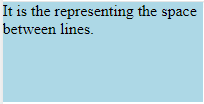
line-height: normal;
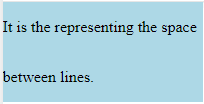
line-height: 40px;
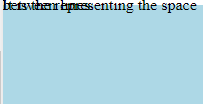
line-height: 0px;
4. paragraph-spacing
It represents the space between multiple paragraphs. We use margin property to add additional spacing between paragraphs (<p>).
margin property accepts all values (+ve or -ve).